
On-device AI · Private by design
Studio-grade portrait retouch,
on your device.
Glow's on-device AI finds every face and perfects skin, eyes, teeth and tone in seconds — no cloud, no uploads, no subscription for your photos.

 BeforeAfter
Drag to compare

 BeforeAfter
Detect0%
How it works
Four steps, one clean portrait
Sixteen models cooperate on every face — detect, analyze, retouch, restore.
- 01
Detect
A face-detection model finds every face and its key parts in the frame.
- 02
Analyze
Segmentation and coefficient models map skin, lips, teeth, eyes and the backdrop.
- 03
Retouch
Specialized models correct skin, shine, tone, teeth, eyes and backdrop — each masked to exactly the right region.
- 04
Restore
Corrections are composited back onto the full-resolution original, keeping native size and detail.
Why Glow
Everything a portrait needs — automatically
Sixteen specialized models cooperate on a single portrait, so the result looks natural instead of like one blunt beauty filter.
01
Private by design
AI runs 100% on your device. Photos never leave your computer — nothing is uploaded, ever.
02
Fast
GPU-accelerated. Warm models process a full-resolution portrait in seconds.
03
Natural results
Per-feature AI models retouch skin, eyes and teeth precisely — without the plastic look.
04
In control
Every tool has its own intensity slider. Switch between Natural and Fashion presets in one tap.
05
Full resolution
Corrections are restored onto the original — the export keeps native size and sharpness.
06
Batch-ready
Load a single photo or a whole shoot; Glow works through it while you review.
07
Object removal
Erase unwanted objects and Glow rebuilds the background behind them — no prompt, and free on even backgrounds.
08
Generative fill
Select an area, describe what belongs there, and the AI paints it in to match the light, grain and perspective.
09
Smart culling
Glow scores a whole shoot for sharpness, exposure, duplicate takes and closed eyes, so you pick the keepers fast.
Inside the app
Built for photographers, not tinkerers
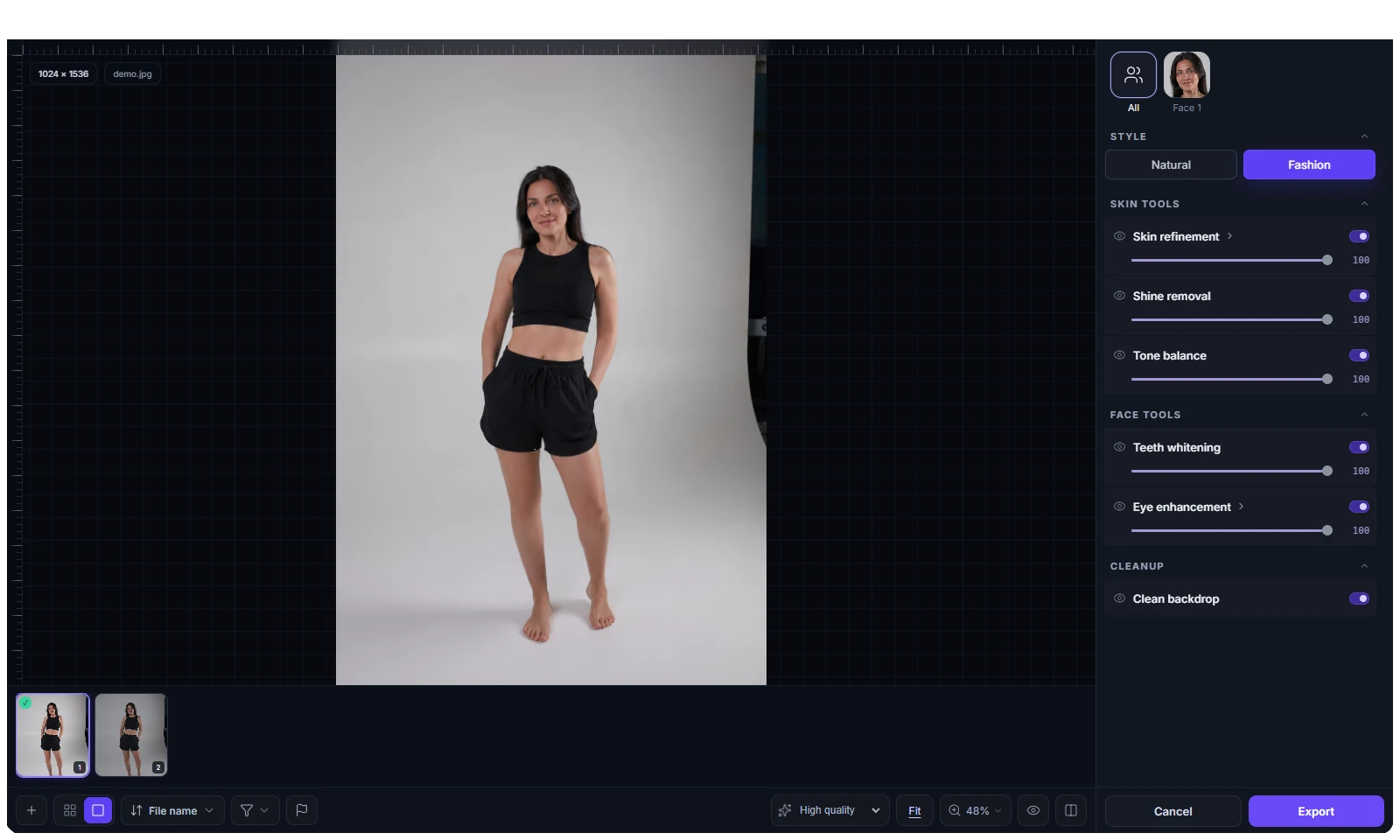
A focused editor: pick a face, choose a style, fine-tune each tool, compare, export the whole shoot.
01Editor
Every tool, your control
Detects every face automatically. Start from a Natural or Fashion preset, then fine-tune skin, shine, tone, teeth and eyes — each with its own 0–100 slider, on/off switch and visibility toggle.
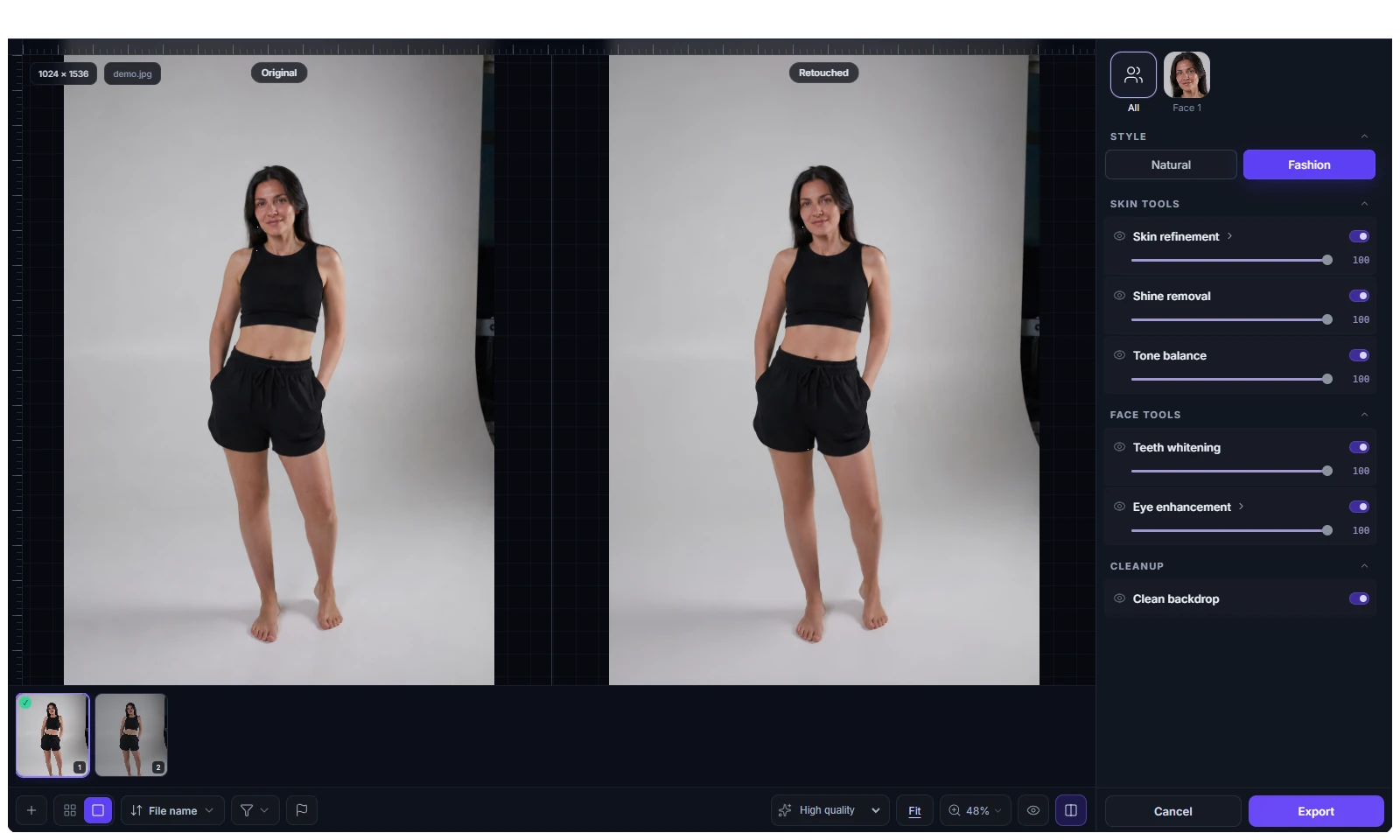
02Compare
Before & after, side by side
Toggle the untouched original instantly, or view original vs retouched side by side with synchronized pan and zoom. Trust every correction before you export.
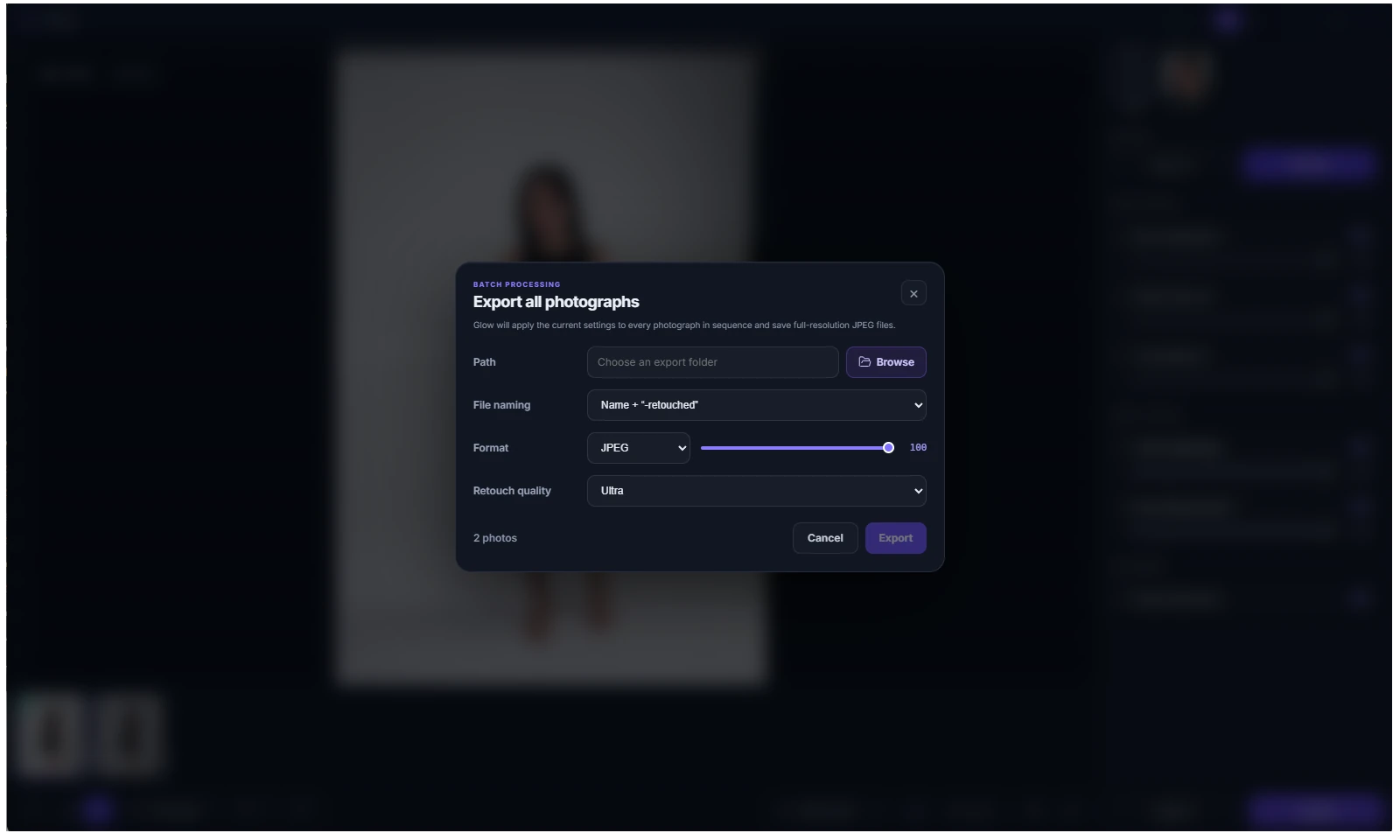
03Export
Batch export, your way
Choose the destination folder, format (JPEG, PNG, TIFF), quality and file-naming. Export the whole batch or just one selected photo — always at full resolution.
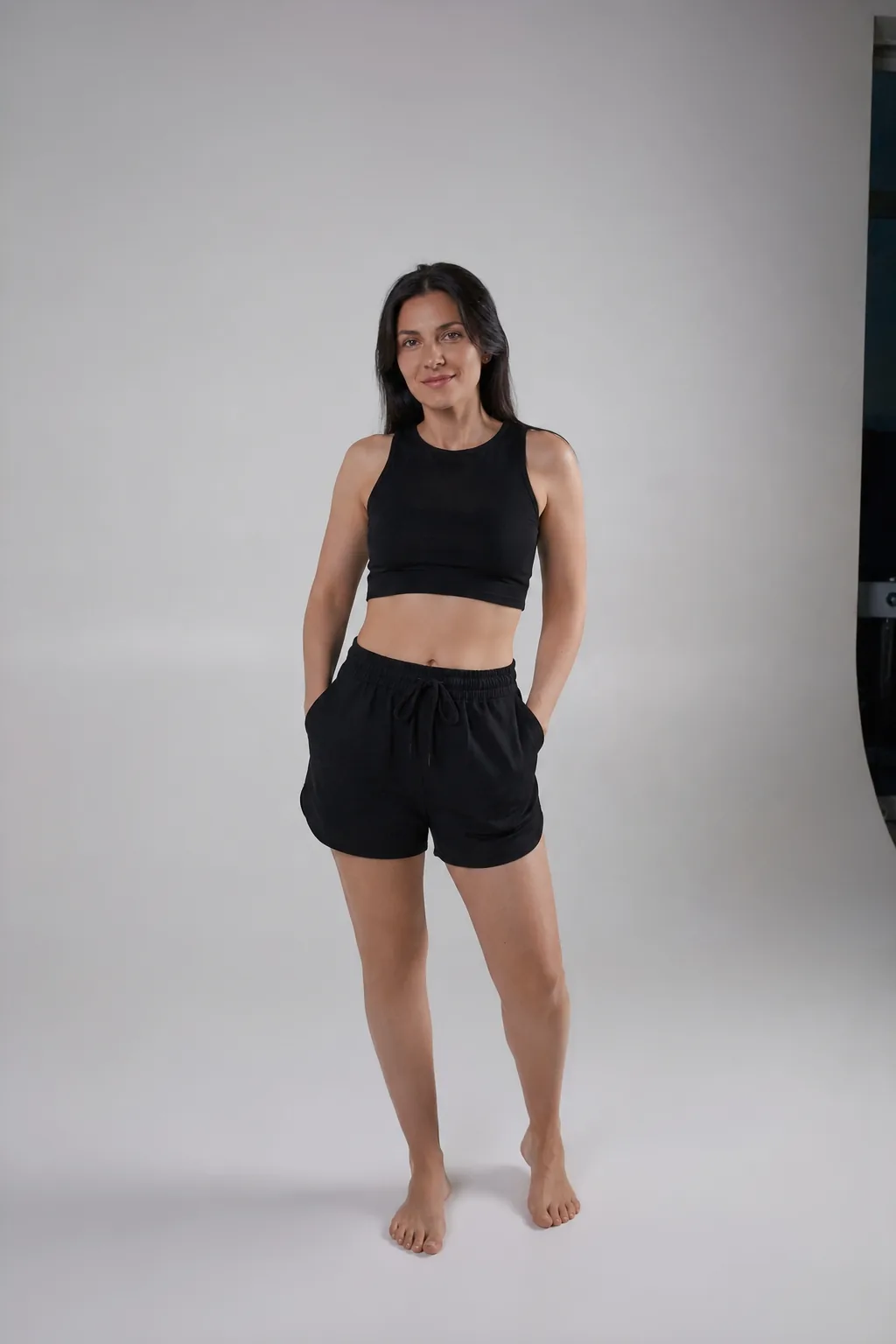
A preset for every kind of shoot
One tap gives a clean, natural retouch — skin, tone, teeth, eyes, backdrop. Hold the image to see the original.

Weddings & events
Heal
Fixes skin blemishes50
Mattifier
Reduces oily shine100
Dodge & Burn
Smooths problem areas50
Portrait Volumes
Boosts facial volume50

Generative edits
Remove what's in the way. Add what's missing.
Beyond retouch — clear out distractions or paint in something new. Only a small patch around your selection is ever sent, never the whole photo.
Object removal
Erase the distraction, keep the shot
Select an unwanted object and Glow removes it and rebuilds the background behind it — no prompt needed. Every edit is a layer you can undo.
On an even background it runs right on your computer — free and offline.
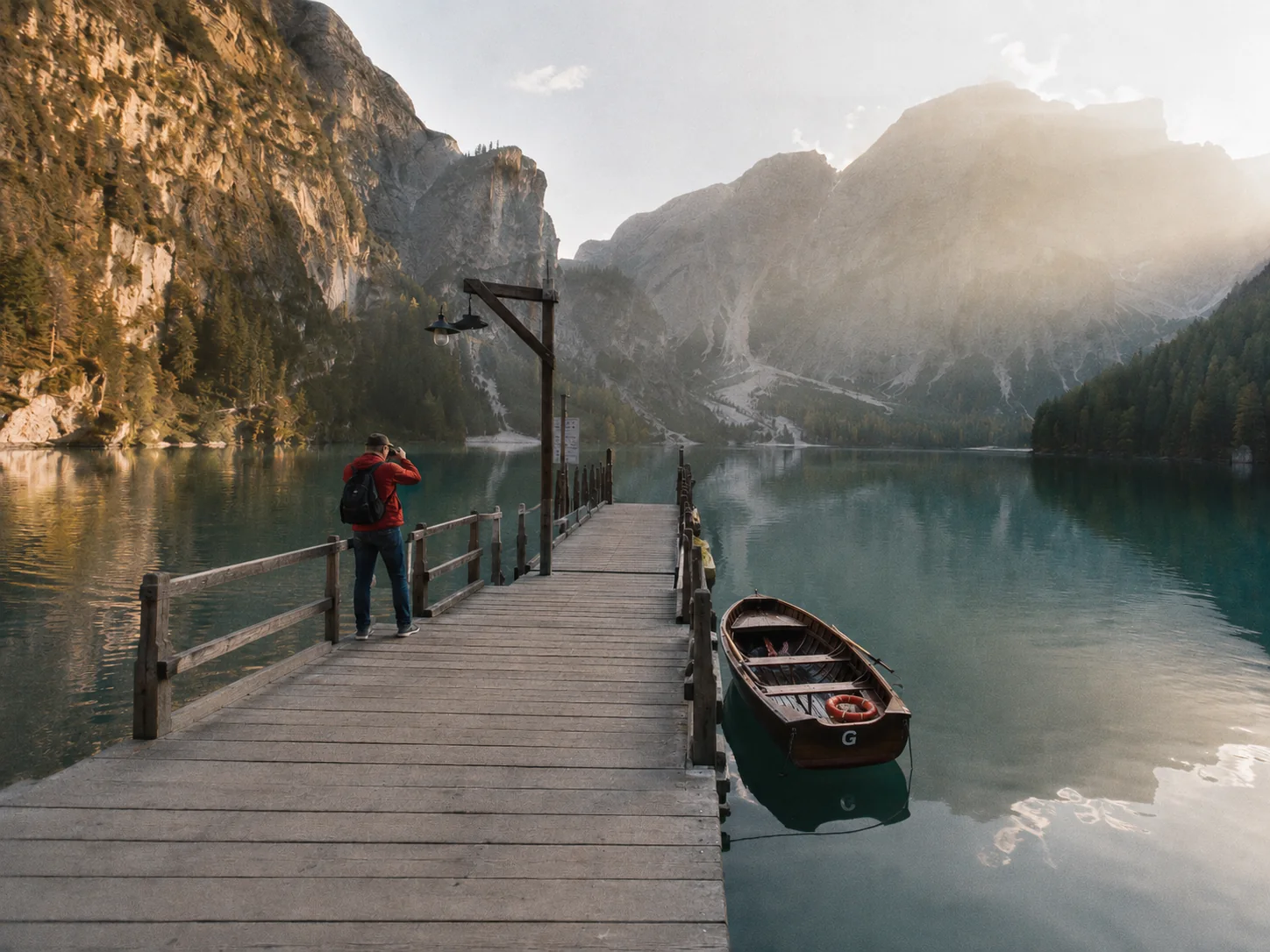
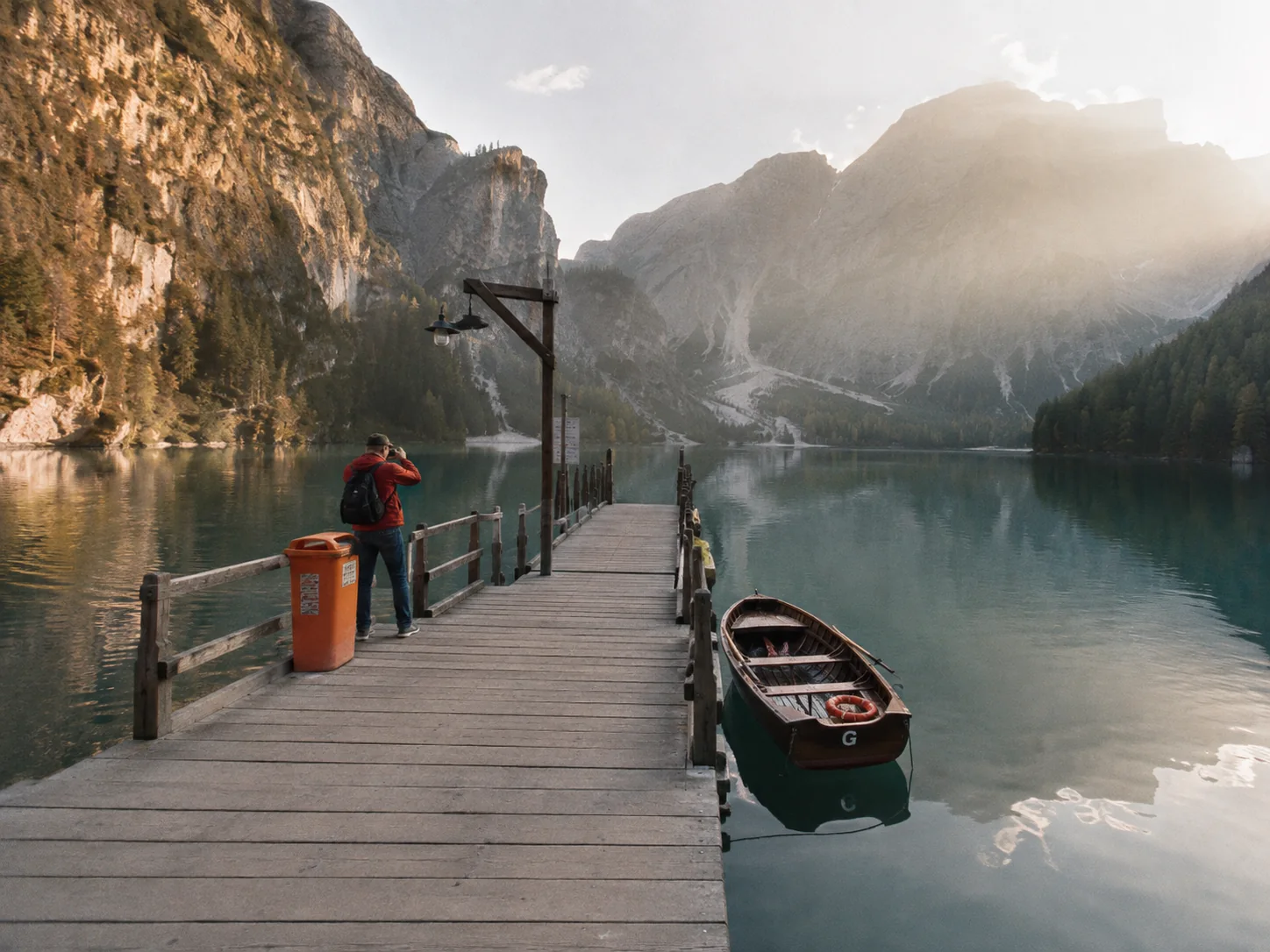 BeforeAfter
Generative fill
Describe it, and it's there
Select an area and say what belongs there in your own words. The AI paints it in, matching the photo's light, grain and perspective.
Cloud-powered with your subscription · desktop & Android.

 BeforeAfter
Drag to compare
Under the hood
On-device AI, done properly
No cloud round-trips. The whole pipeline runs on your machine's GPU.
16 specialized models
Skin, tone, teeth, eyes, backdrop and face/part detection — every model runs locally.
GPU-accelerated
All inference runs on your device's GPU — a full-resolution portrait is ready in seconds.
Warm engine
Models stay resident in GPU memory between photos, so only the first frame of a session pays the load cost.
Verified models
The model pack is checked with SHA-256 on install — you always run the exact, untampered models.
Privacy
Your photos stay yours
Glow runs its AI entirely on your own device. Your photos are never uploaded, never sent to a server, and never used to train anyone's model. No account required to retouch — nothing about your images leaves your computer.
Nothing is uploaded — ever.
Client confidentiality
No third-party cloud ever sees the images.
Works offline
Retouch on a laptop with no internet connection.
No cloud fees
The AI is on your machine — no per-image charges.
Questions & answers
About AI portrait retouching with Glow
How local processing, full-resolution export and batch portrait retouching work.
What is Glow AI portrait retouching software?
Glow is a portrait retouching app for photographers. Sixteen specialized AI models detect faces and correct skin, shine, tone, eyes, teeth and backgrounds while preserving a natural look.
Does Glow upload photos to the cloud?
No. The retouching pipeline runs on your device, so client photos are not uploaded for processing or used to train third-party models.
Can Glow batch-retouch full-resolution photos?
Yes. Glow is designed for single portraits and complete shoots, and restores corrections onto the original image to retain its native dimensions and detail.
Can Glow work offline?
Yes. Once the application and its verified model pack are installed, portrait processing runs locally without a cloud round trip.
Can Glow remove objects from a photo?
Yes. Select the object and Glow removes it and rebuilds the background behind it — no prompt needed. On even backgrounds it runs on your device for free; complex textures use a cloud credit.
What is generative fill in Glow?
Select an area and describe, in your own language, what should be there; Glow's AI paints it in to match the photo's light, grain and perspective. It runs in the cloud on your subscription and uses one credit per fill, and only a small area around the selection is sent. Available on desktop and Android.
Is there a Glow plugin for Photoshop?
A Glow plugin for Adobe Photoshop is in development, Windows first. It brings Glow's on-device retouch into Photoshop as a filter and a panel; watch the downloads page for the beta.
Save your time!
Get your life back — Glow's AI retouch is many times faster. The same work, in a fraction of the time.
Count
1 000
010000
Minutes
10
1100
You get back
167hours
That's how much retouching time Glow gives back to you every month.
A gift for a photographer
Give studio-grade portrait retouching
Create a personal Glow gift certificate: choose a term and design, add a message, and receive a polished PDF by email.

GLOW
Gift certificate
30 days of Glow
YOUR CODE
Valid for one year
Get Glow
Bring the studio to your desktop
Choose your platform and download Glow — studio-grade AI retouching that runs entirely on your device.


macOS
For macOS 12+ (Apple Silicon & Intel)

Linux
For Ubuntu 20.04+ and other distros

Android
For Android 8.0+ (ARM64)
Coming soon

iOS
For iOS 14.0+ (iPhone & iPad)
Coming soon
Performance depends on your GPU. A modern GPU processes full-resolution portraits in a handful of seconds.
Coming soon
Glow is coming to Photoshop
The same on-device retouch, right inside Photoshop — as a Filter and as a panel, powered by Glow's local engine. Nothing leaves your machine.
Filter › GlowPlugins › Glow Retouch
Download Glow
In development · Windows first
Before you install
System requirements
Showing the requirements for your device — switch tabs to see the other platforms.
Minimum
- Windows 10 (64-bit)
- x86-64 CPU, 4 logical cores
- 8 GB RAM
- 2 GB free space
- Graphics card optional
- Internet for install and first launch
Recommended
- Windows 11 (64-bit)
- x86-64 CPU, 8+ physical cores
- 16 GB RAM (32 GB for 45–60 MP shots and batch processing)
- NVMe SSD, 10 GB free space
- DirectX 12 GPU with 4+ GB of VRAM